


|
如果免费资源下载的文件为TXT文档 请联系站长更新!站长微信:Lv596999 Telegram:@eapoj “Mql5官网”板块的EA基本都有,大部分是无限制NODLL版,NODLL版本MT1420升级,大多数不可用!这些EA来源为国外花钱买过来的 如有需要,请联系站长! “EA测评”板块资源全部现有,看见不错的,可以联系站长,看EA在确定是否收费。 “无限制EA”板块,大部分免费,下载文件全部存在,都可以免费下载。 站长硬盘EA太多,因大部分时间做交易,做风控,没太多时间更新下载地址,请谅解! 需要更新下载文件,请联系站长微信!国外朋友请联系Telegram。  |
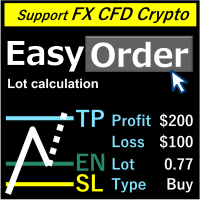
This panel is very simple to use and it is a very ally to manage your positions and orders.
Also you can modify your risk, writing in fields directly on Panel.
One click on buttons and the operation on market is done!
Operations possible:
- BUY/SELL
- Break Even
- Split (close 50% all orders)
- Close All positions
- Hedging (opens reverse positions to cover)
- Close only BUY positions
- Close only SELL positions
- Close All pending orders
- Reverse all positions
Please watch the video to verify the very simple use.
Input Values:
- MagicNumber (MagicNumber EA)
- MONEY MANAGEMENT
- Money Risk Default (%) (Ex. 1% EA calculate lot automatically using Stop in input)
- Money Risk Default (Money)
- Lots (if you want use a fixed lot, ex. 0.01)
- Stop (Points)
- Target (Points)
- BE (Points) (place Stoploss at distance from OpenPrice)
- PANEL SETTINGS
- X (Pixel position)
- Y (Pixel position)
- Panel Color (you can choose color for your panel)
Notes:
It is necessary to wait 10 seconds between a split and the other.
![图片[1]-Mql5官网 One Click FX Panel 外汇EA-EA侦探社 - 全球领先的MQL5官网外汇EA机器人MT4自动化交易EA资源免费分享网站](https://www.mql5.vip/wp-content/uploads/2024/05/20240521014843-664bfd7b77310.png)
![图片[2]-Mql5官网 One Click FX Panel 外汇EA-EA侦探社 - 全球领先的MQL5官网外汇EA机器人MT4自动化交易EA资源免费分享网站](https://www.mql5.vip/wp-content/uploads/2024/05/20240521014845-664bfd7d0a6fb.png)
![图片[3]-Mql5官网 One Click FX Panel 外汇EA-EA侦探社 - 全球领先的MQL5官网外汇EA机器人MT4自动化交易EA资源免费分享网站](https://www.mql5.vip/wp-content/uploads/2024/05/20240521014846-664bfd7e2f0ba.png)

© 版权声明
文章版权归作者所有,未经允许请勿转载。
THE END