


|
如果免费资源下载的文件为TXT文档 请联系站长更新!站长微信:Lv596999 Telegram:@eapoj “Mql5官网”板块的EA基本都有,大部分是无限制NODLL版,NODLL版本MT1420升级,大多数不可用!这些EA来源为国外花钱买过来的 如有需要,请联系站长! “EA测评”板块资源全部现有,看见不错的,可以联系站长,看EA在确定是否收费。 “无限制EA”板块,大部分免费,下载文件全部存在,都可以免费下载。 站长硬盘EA太多,因大部分时间做交易,做风控,没太多时间更新下载地址,请谅解! 需要更新下载文件,请联系站长微信!国外朋友请联系Telegram。  |
Details of each condition
Type 1. Set no use Hedging Martingale, to open the order by yourself only through the push button. TP and SL follow setting.
Set Setting_Hedging =false;
Use_HLine =false;
Set Setting_TrailingStop =false; if not use.
Type 2. Semi Auto Recovery Zone You have to open the order by yourself only through the push button.
If in the wrong direction and Set true on Hedging Martingale, EA will fix the order with the zone system by use Hedging Martingale
Set Setting_TrailingStop =false;
Set Setting_Hedging =true;
Use_HLine =false;
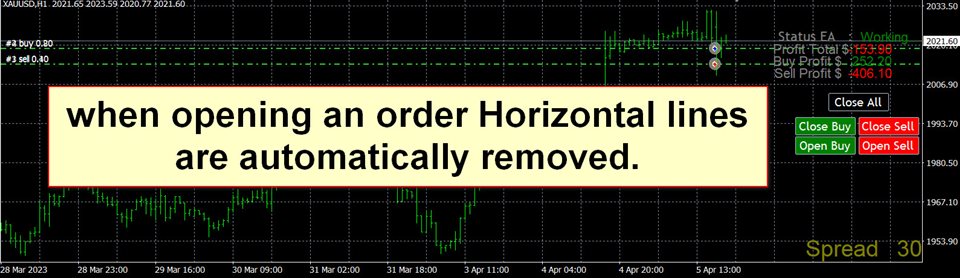
Type 3. Use horizontal line open order . And If in the wrong direction and Set true on Hedging Martingale,
EA will fix the order with the zone system by use Hedging Martingale
Set Setting_TrailingStop =false;
Set Setting_Hedging =true;
Use_HLine =true;
** The horizontal line must be drawn manually and the line name.
and when opening an order Horizontal lines are automatically removed.
Set horizontal line name
S : For Sell
B : For Buy
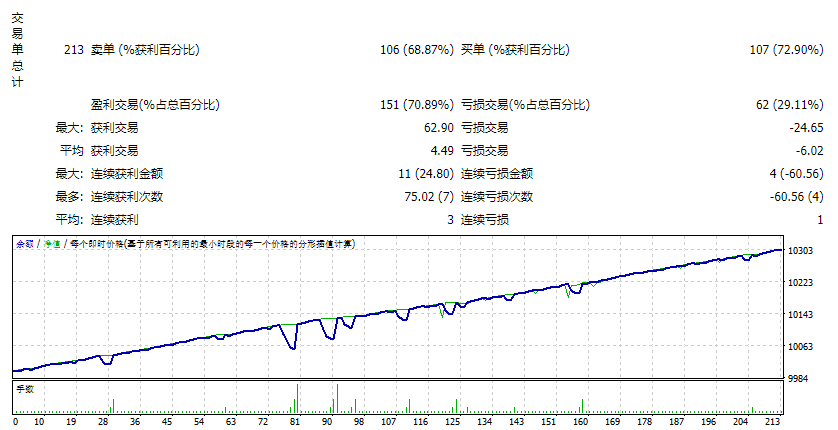
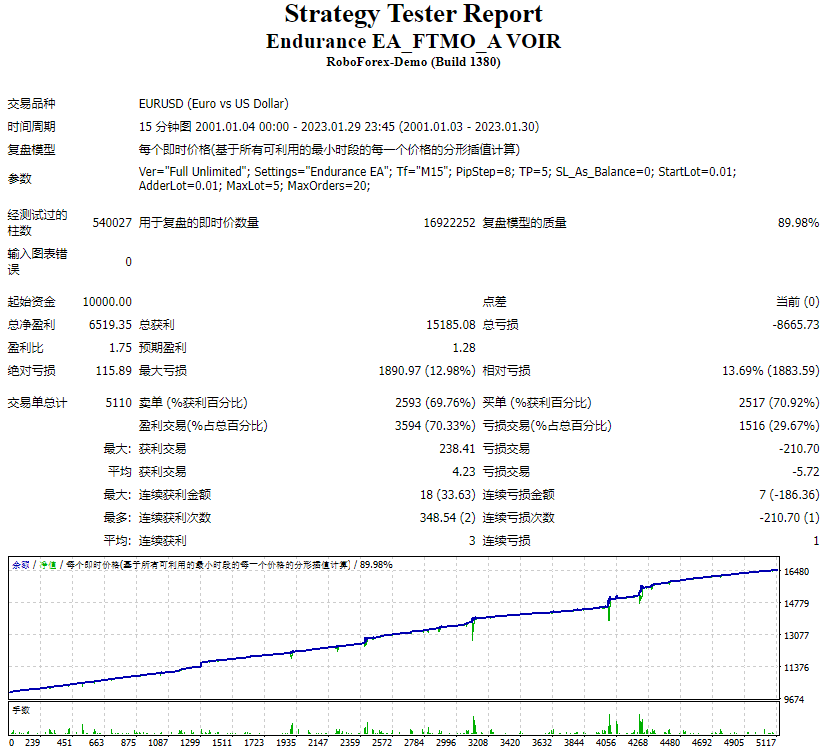
We recommend that you do back test first.
This EA Martingale
This EA Hedging
This EA High Risk
start around 1000$ and Lots 0.01![图片[1]-Mql5官网 Horizontal Re Semi Auto Recovery Zone 外汇EA-EA侦探社 - 全球领先的MQL5官网外汇EA机器人MT4自动化交易EA资源免费分享网站](https://www.mql5.vip/wp-content/uploads/2024/05/20240516174204-6646456c51554.jpg)